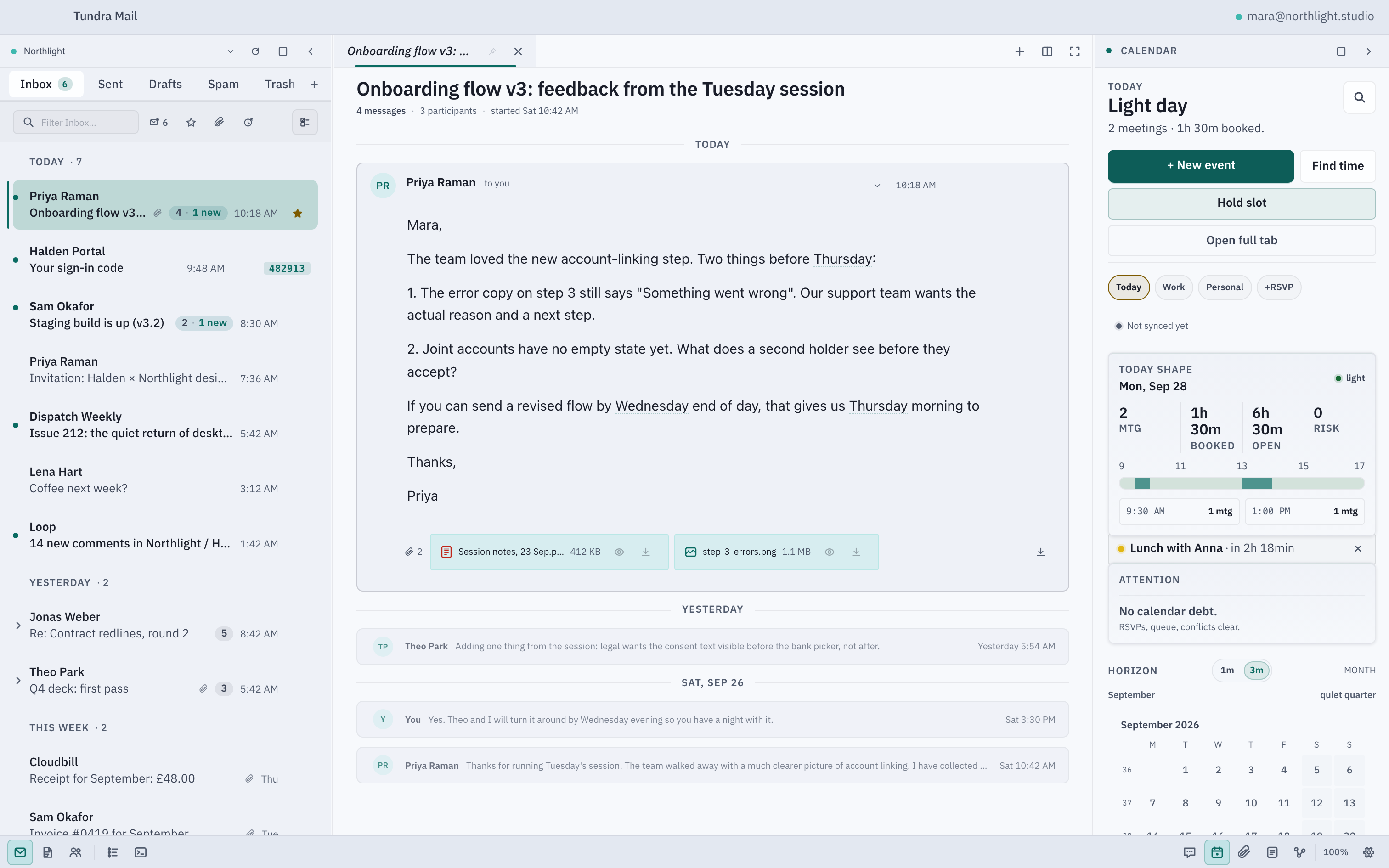
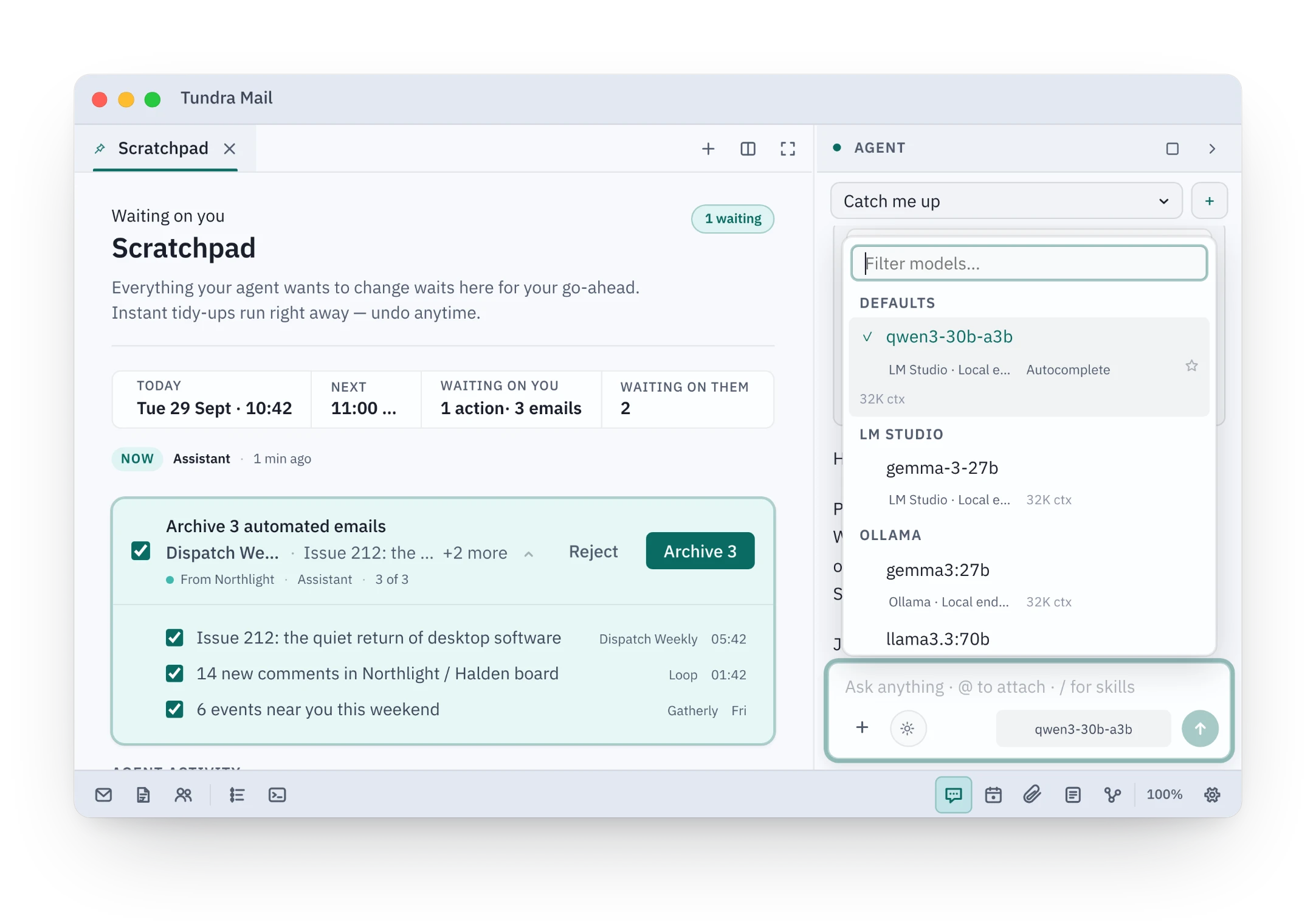
Tundra rebuilt for the browser on sample data. Clear a sender, ask ⌘K when your next meeting is, take an action back with z. Nothing you do here leaves this page.
Your accounts
Gmail
Google Calendar
Outlook.com
Microsoft 365
IMAP and SMTP
CalDAVearly beta
iCloudvia IMAP
Yahoovia IMAP
Fastmailvia IMAP
Works with
The accounts you already have
And the AI model you choose, only if you want one.
Also Fastmail and any other IMAP account. LM Studio and Ollama run on your own computer. Product names belong to their owners; Tundra is not affiliated with or endorsed by them.
Why switch
Why switch to Tundra?
Less noise. More control. Your mail stays yours.
Your mail lives on your computer.
No Tundra account. No Tundra server. Mail goes directly between you and your provider.
1,240 emails gone in one action.
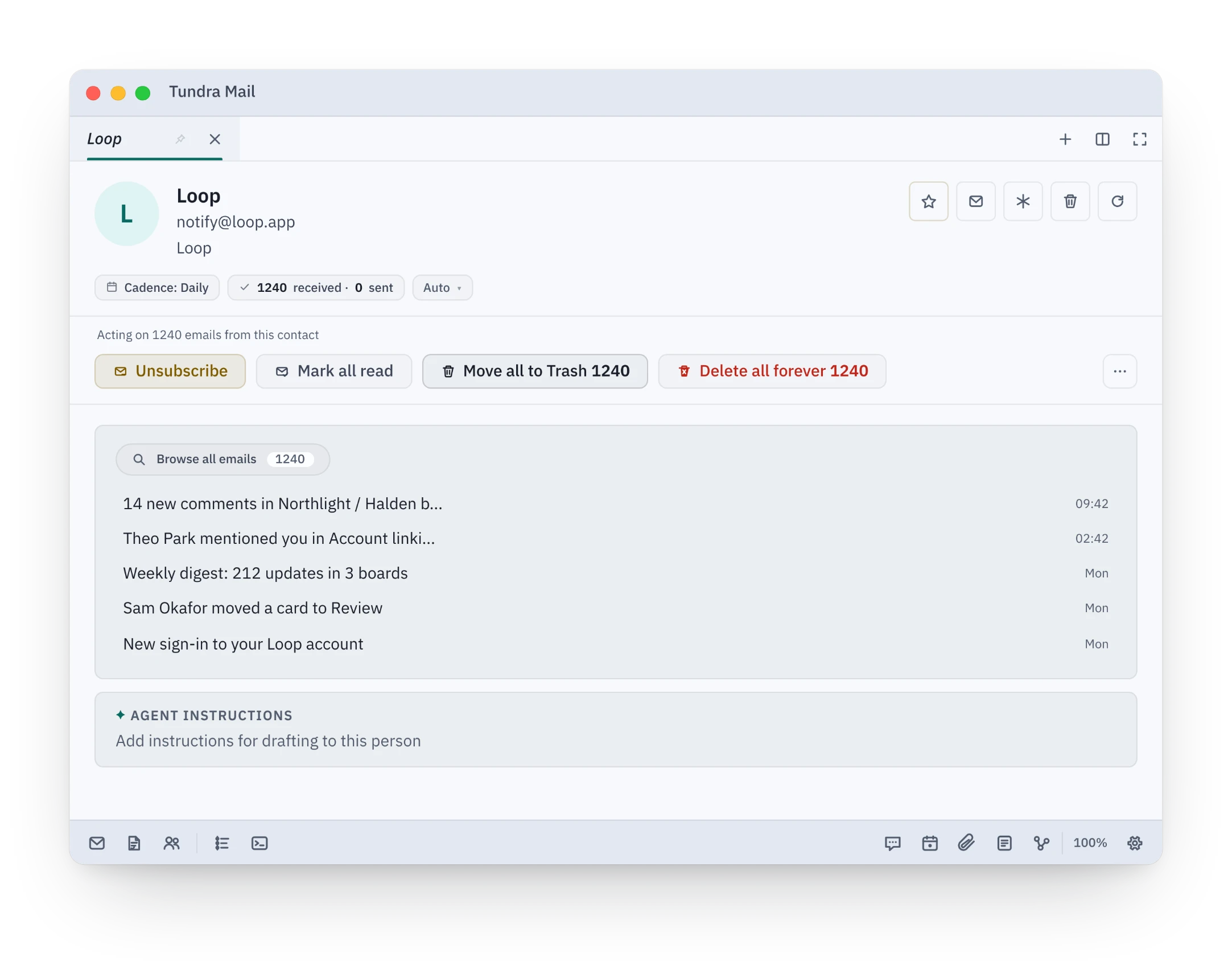
Open a sender or a whole domain, see how many emails it holds, and unsubscribe, mark read or trash them all at once.
Newsletters1,240
Promotions892
Notifications421
Unsubscribe and archive
No trial. No credits. £0.
Use Tundra personally without creating an account. Work use is a short email to us.
No account required
Free for personal use
Full features
Off means off.
Use your own cloud key, run a model locally, or don’t use AI at all. Sending always needs your OK.
AIOffLocal modelYour API key
Your inbox, without the mouse.
Search, undo and navigate from the keyboard. Rebind almost every command.
⌘ KSearchJ / KNavigateZUndo⌘ Archive
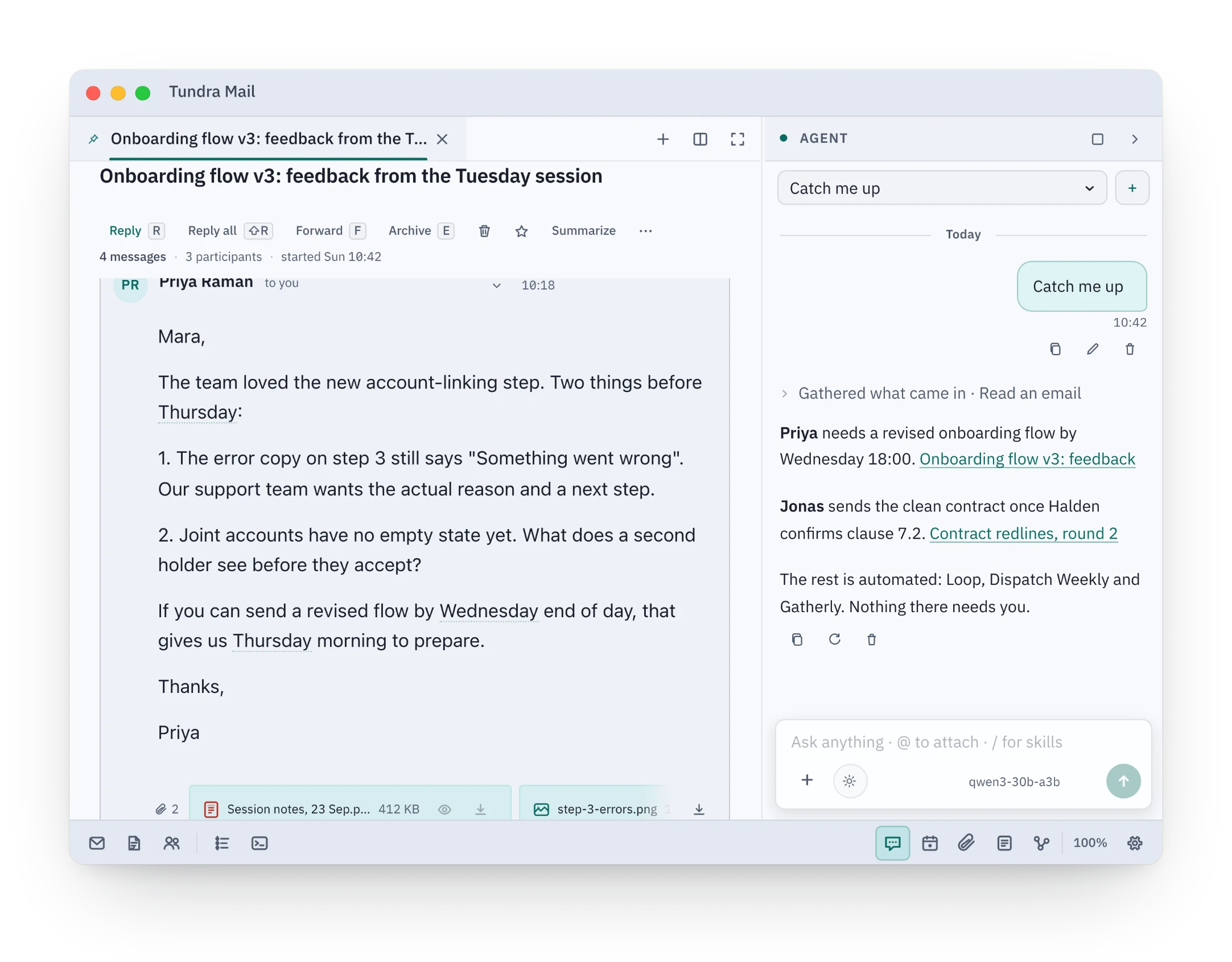
Ask your inbox.
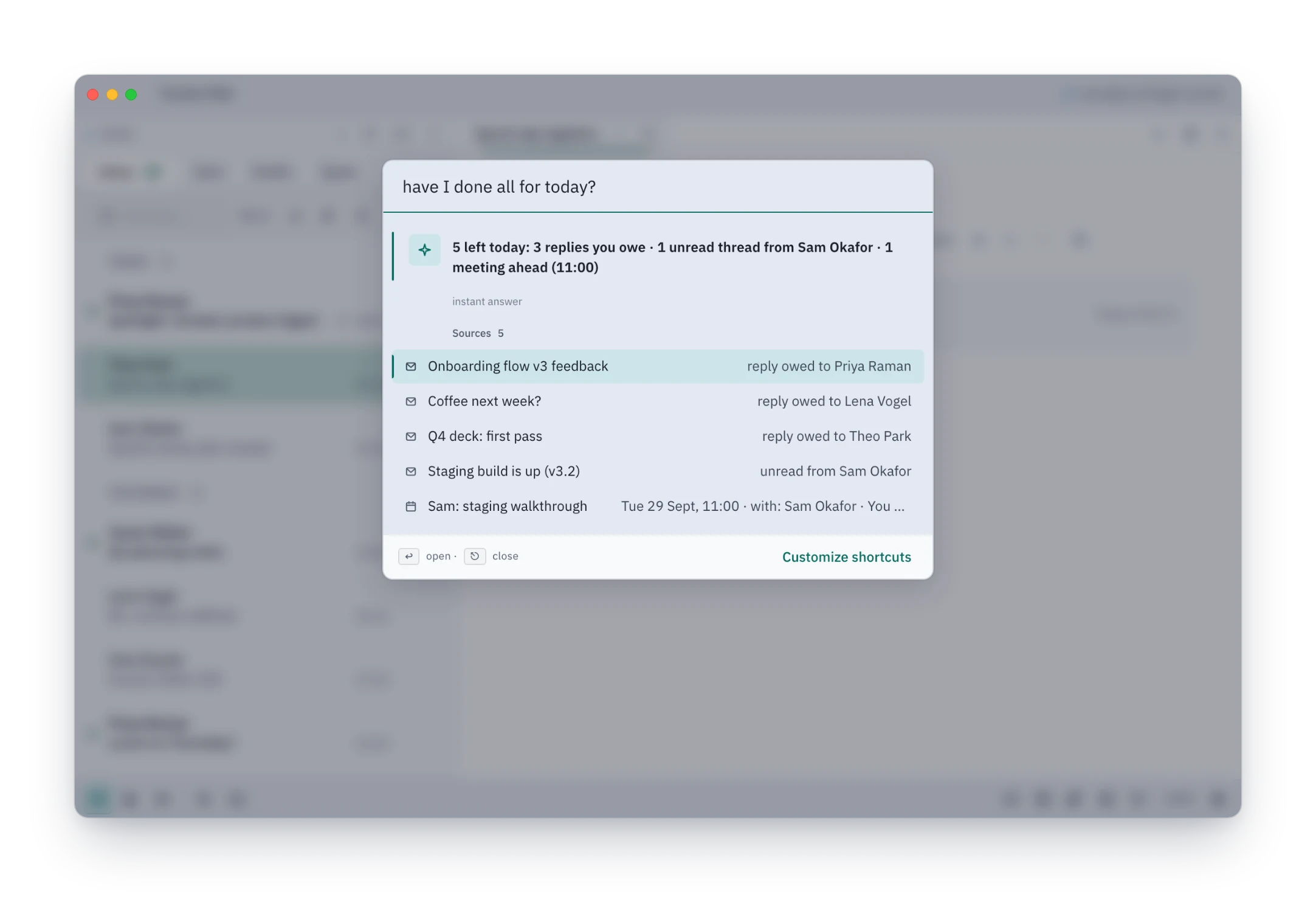
Get answers to questions like “when is my next meeting?” with sources from your own mail and calendar.
When is my next meeting?
Team syncTomorrow, 10:00 – 10:30Found in your calendar
First week
Four things you will notice in the first week.
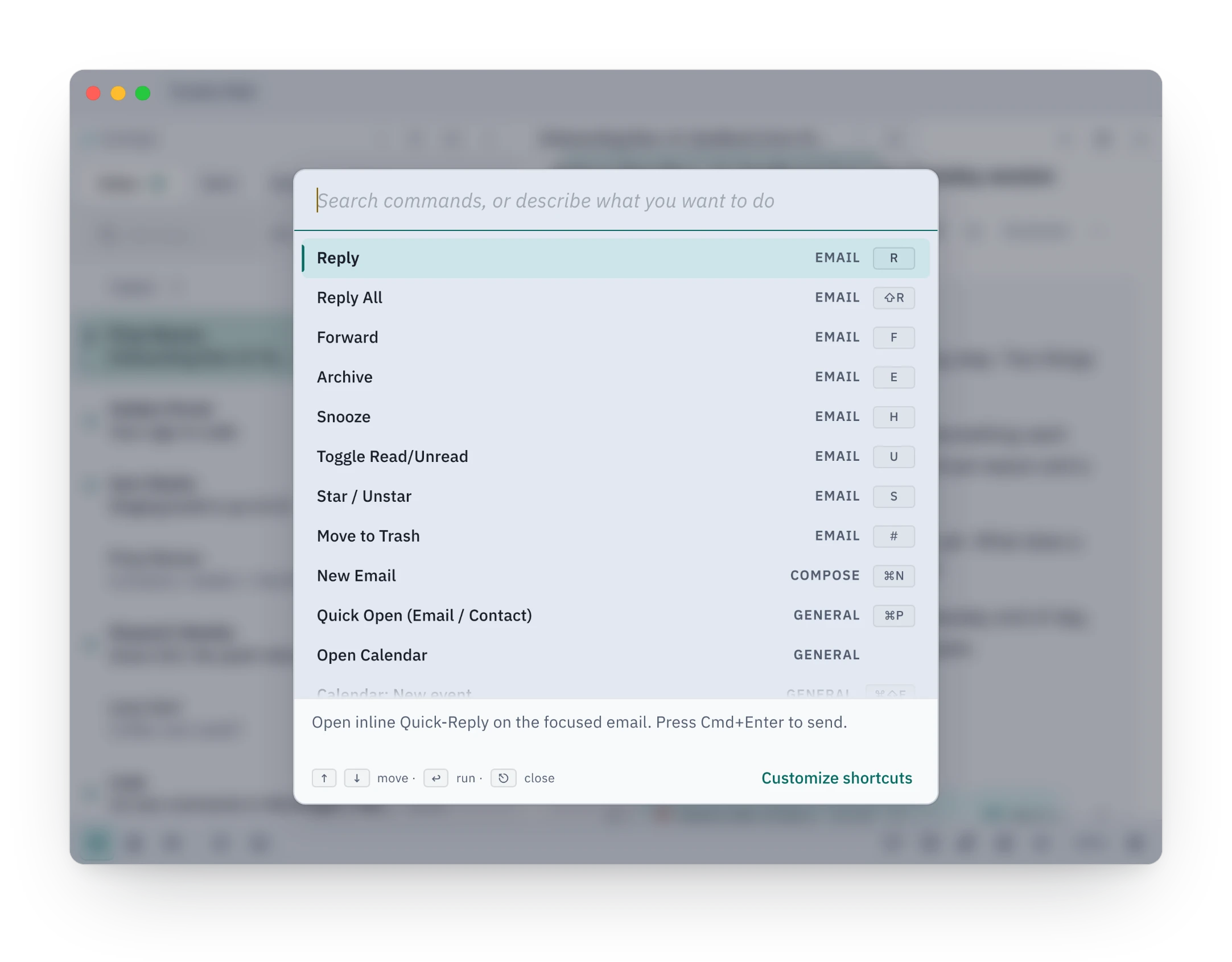
Do anything from one box.
Every action in Tundra is in one list, and each row shows its shortcut, so the second time you reach for the key instead. Ask it when your next meeting is and it answers from your own calendar and mail, with the source under the answer and no model involved.
Shortcuts shown as you go, no cheat sheet to study
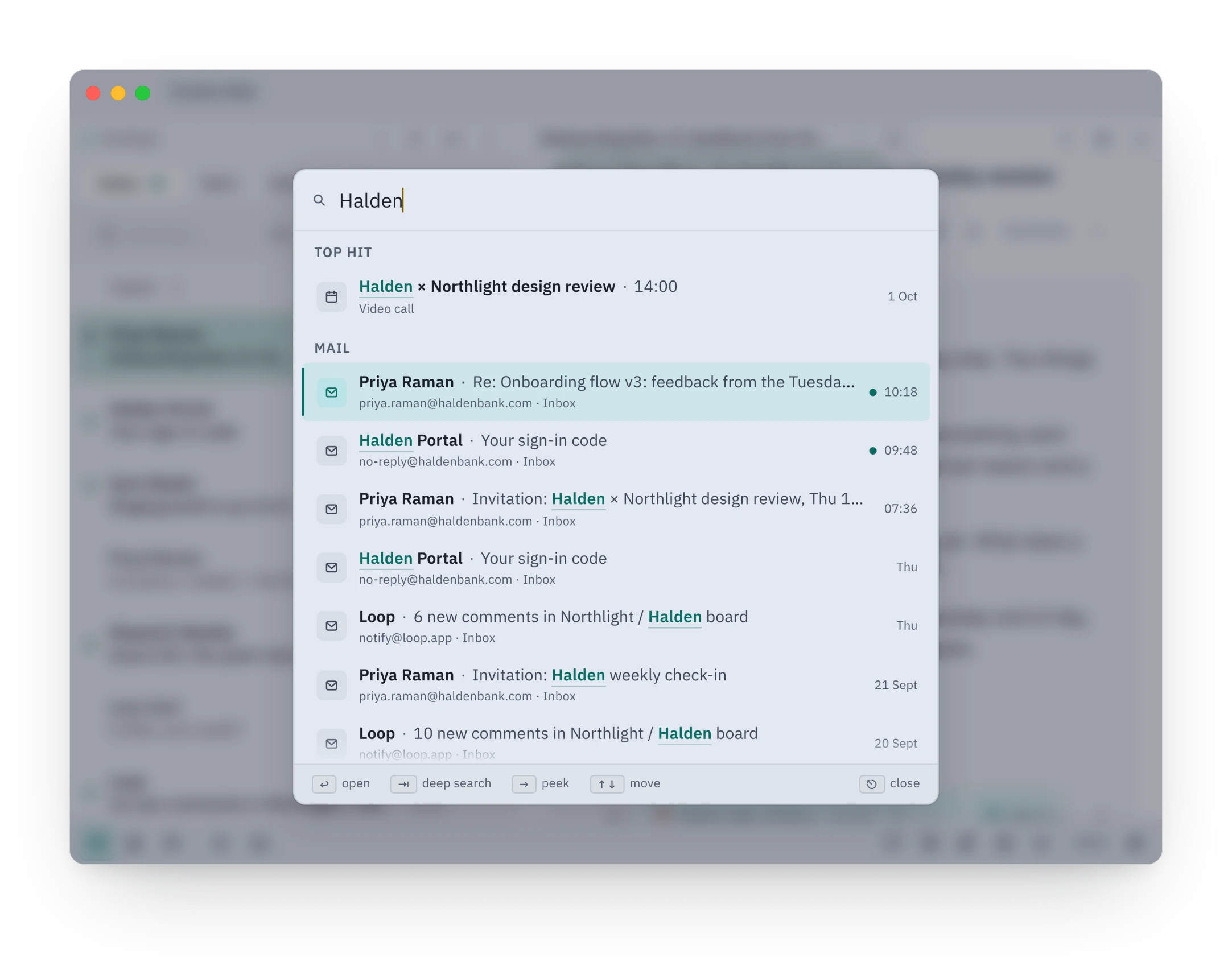
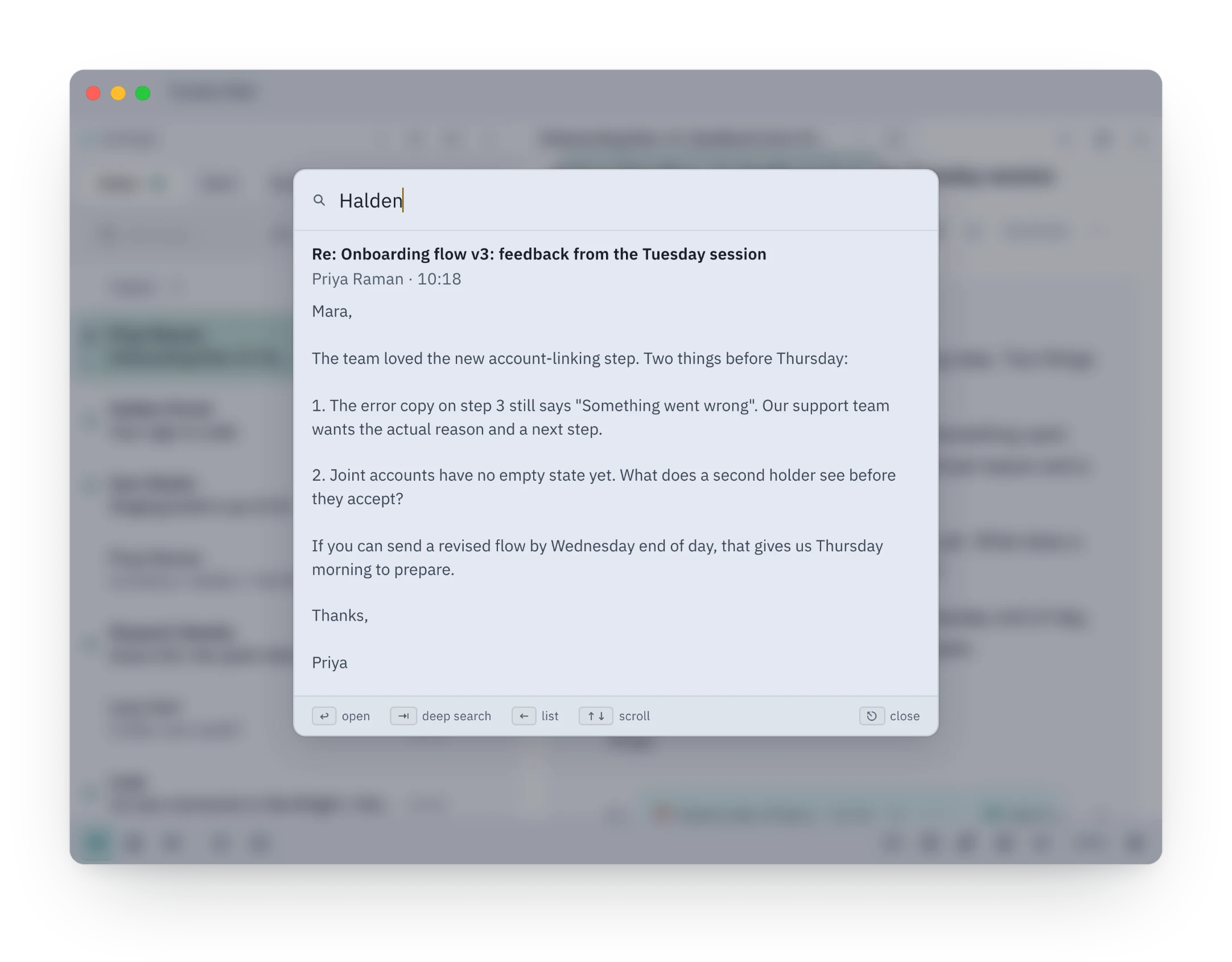
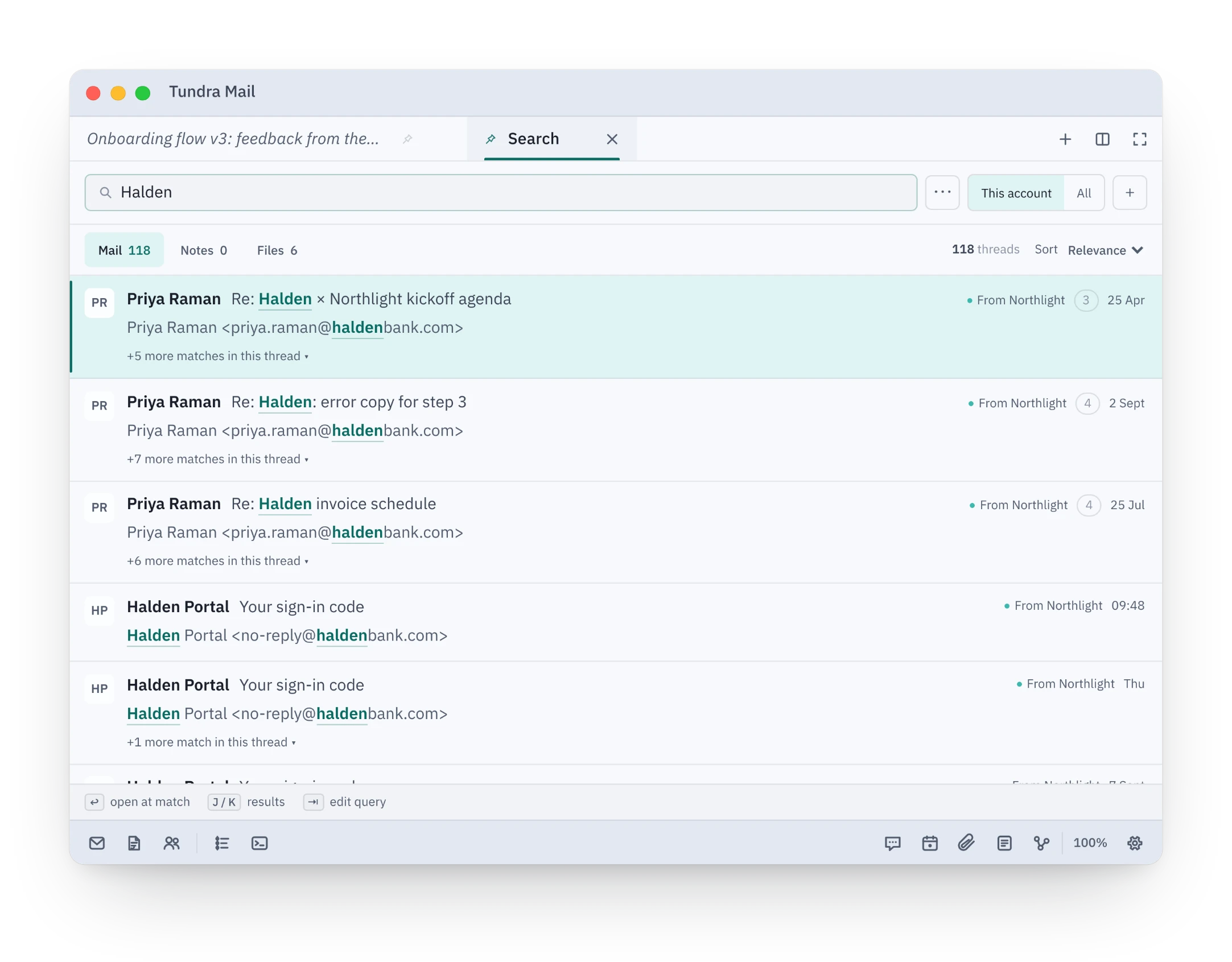
⌘P shows the best match first. Press → to read it without opening it, or Tab for a full search across mail, notes and files. Search runs on the mail Tundra keeps on your disk, so it works offline too.
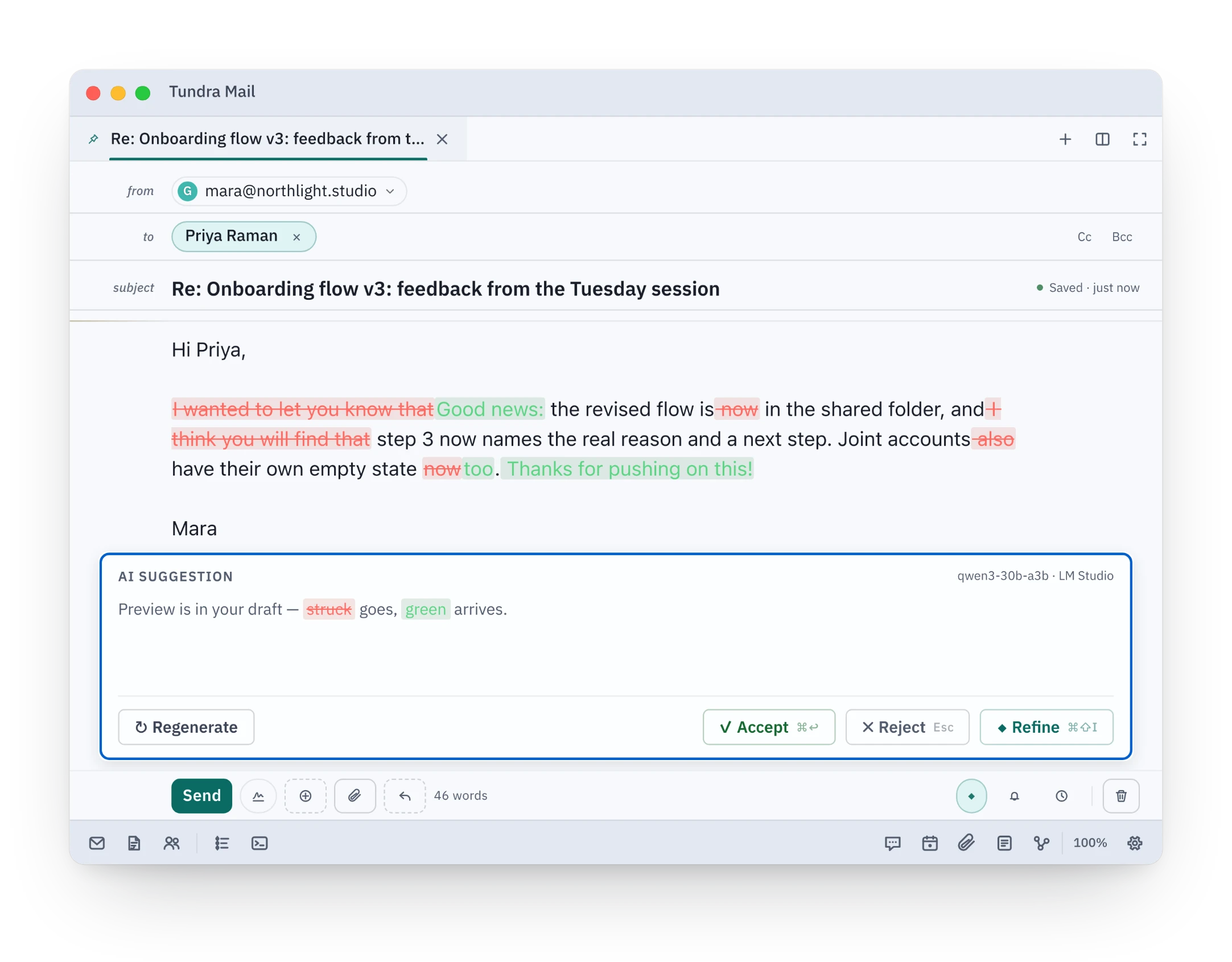
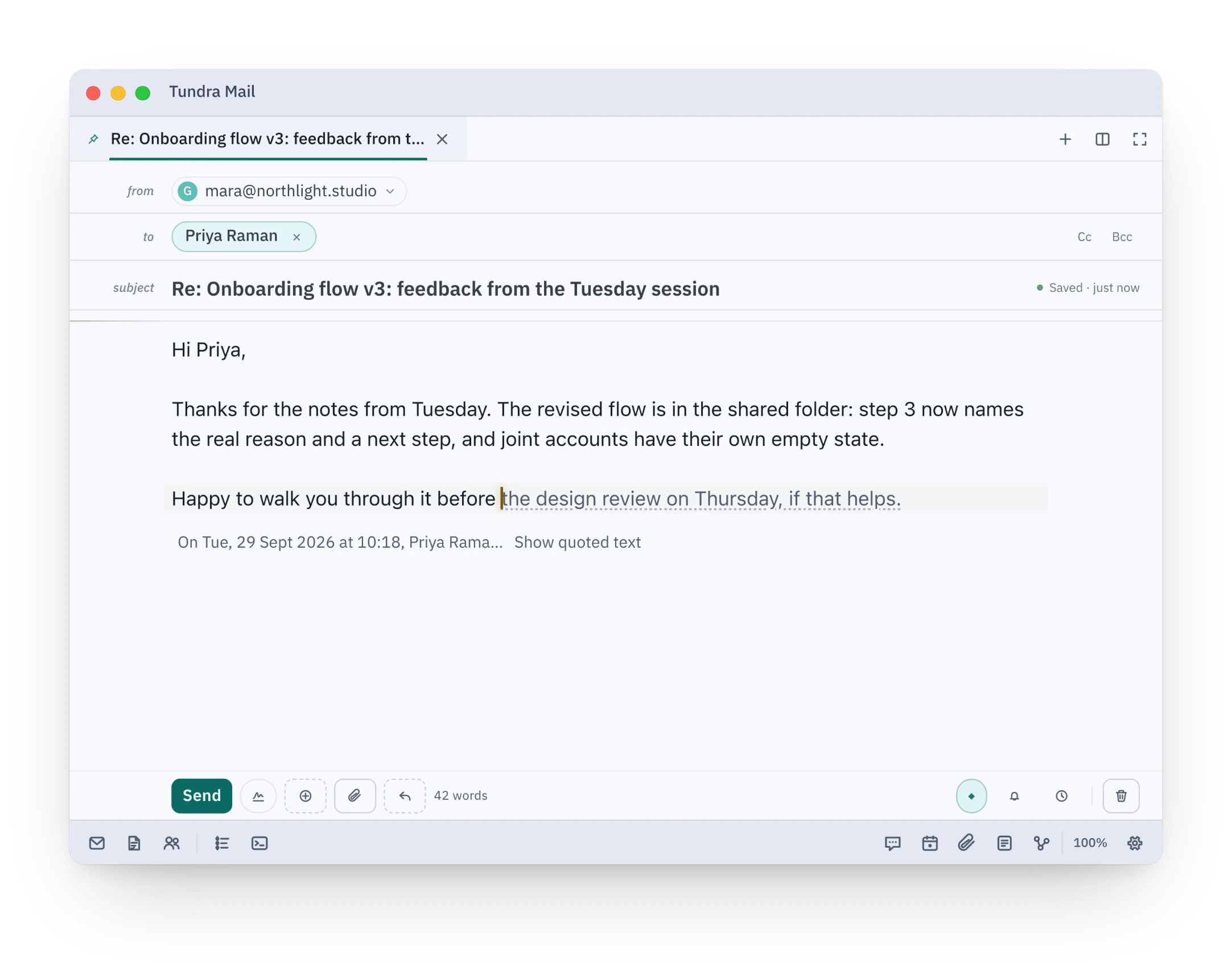
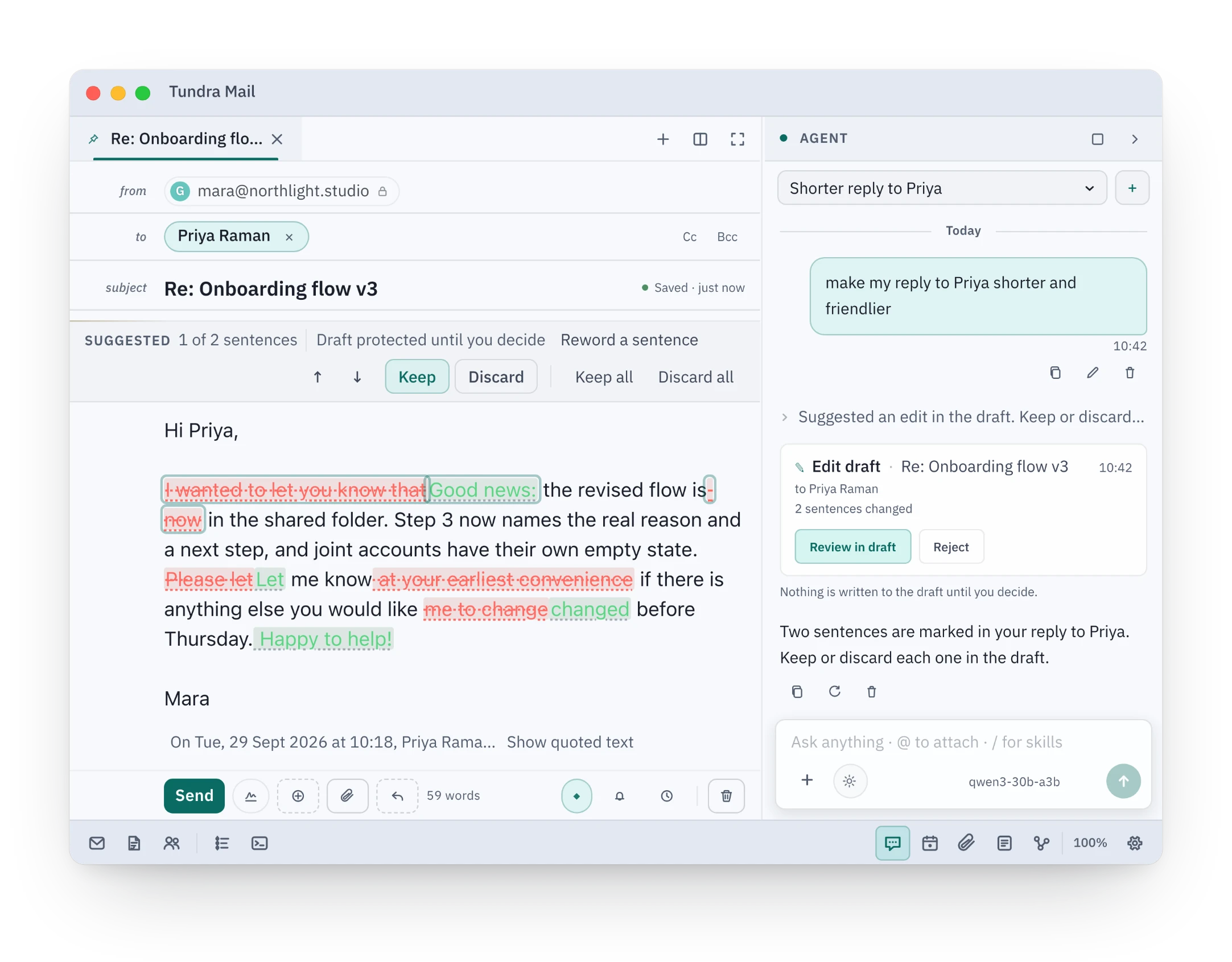
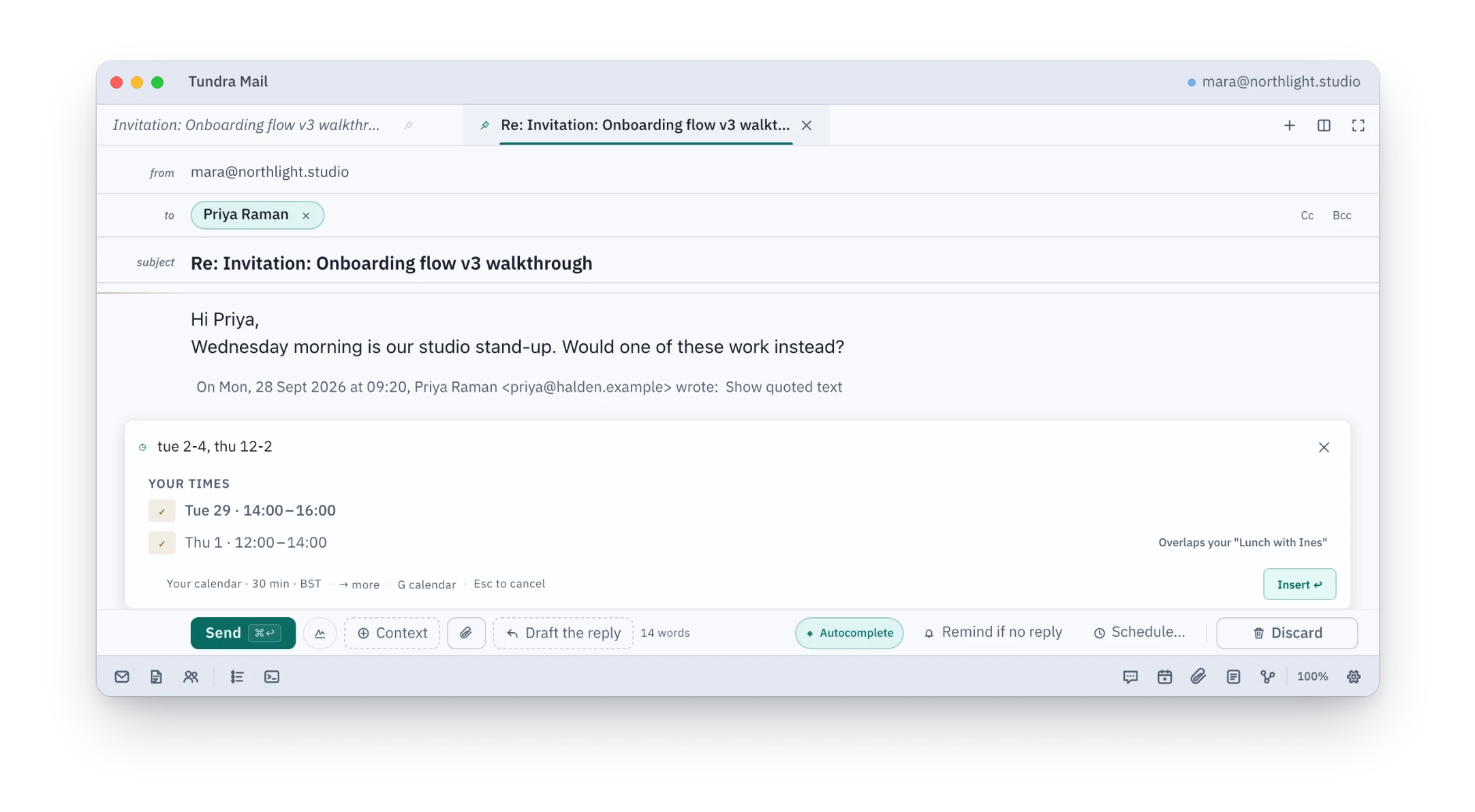
Cuts show in red and additions in green, right where they happen, and nothing changes until you accept. Autocomplete finishes the line as you type, and when the agent revises a draft, you keep or discard each sentence.
Fix grammar, Shorten, Friendly, Formal and more in one tap
Open a sender or a whole domain and see exactly how many emails it holds. Unsubscribe, mark them all read or move them all to Trash in one pass, and Trash keeps an Undo button for six seconds by default, adjustable in Settings › Reading.
Unsubscribe with one click where the sender allows it
Tundra Mail connects to your Gmail, Google Calendar and Google Contacts so you can read, write, search and organise your mail and events in the app on your computer. Your Google data goes from Google to your computer and is stored there. We never receive it. If you turn on AI with a cloud provider, the content a task needs is sent to that provider; a local model keeps it on your computer. Read how Tundra uses Google data in our Privacy Policy. Tundra Mail's use and transfer to any other app of information received from Google APIs will adhere to the Google API Services User Data Policy, including the Limited Use requirements.