
Clear a sender or domain in one pass
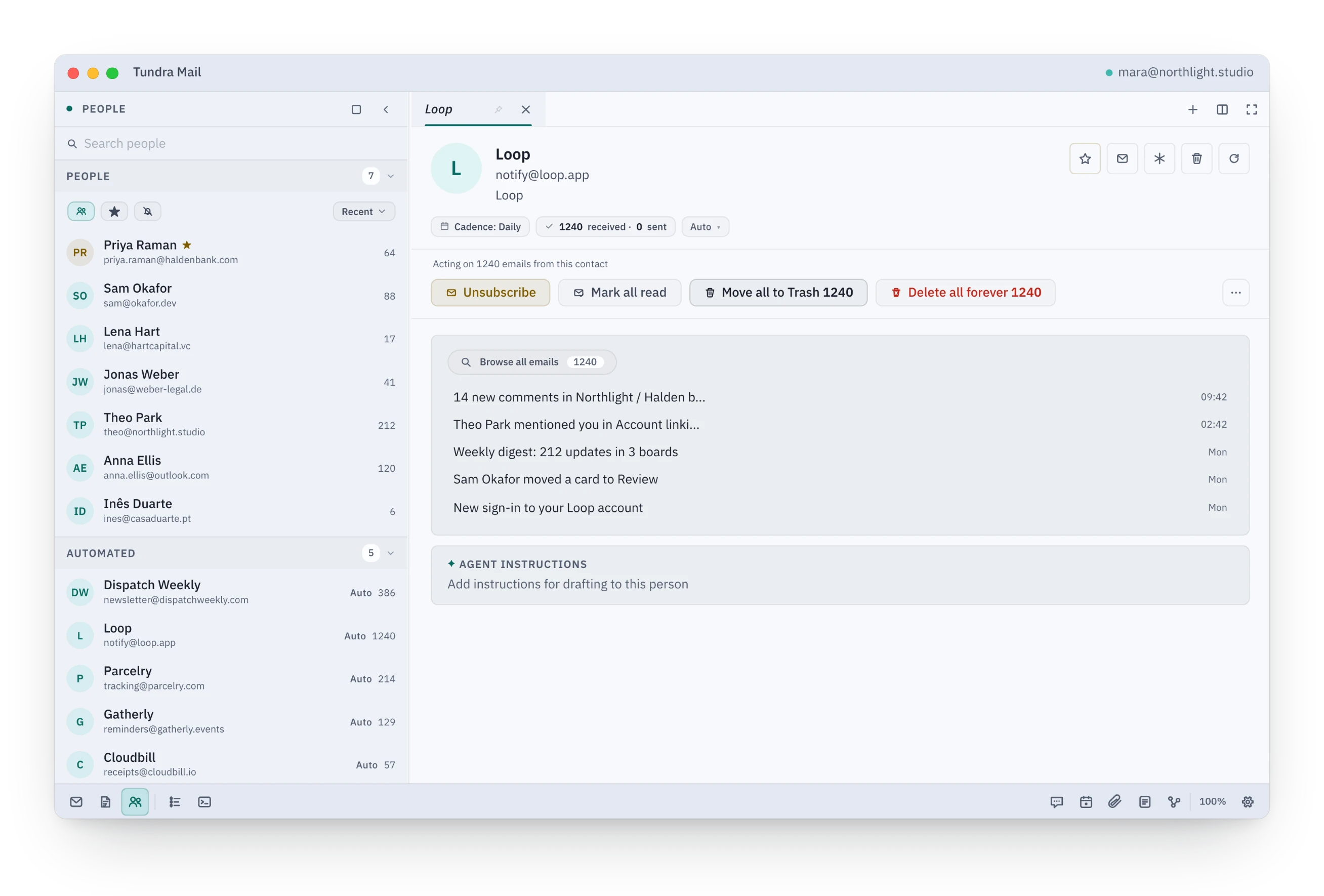
Unsubscribe with one click where the sender allows it, mark everything read, or move it all to Trash. Counts agree everywhere, and Trash keeps Undo for six seconds by default.
See it here
A browser preview on sample data.
How it works
- Open People from the dock rail at the bottom left.
- Under Automated, open the sender you never read. Its page shows how many emails it holds.
- Press Unsubscribe and confirm. Tundra sends the one-click request the sender published and tells you the sender was notified.
- Press Move all to Trash. The rows leave the inbox and every count drops at once.
- Changed your mind? After Move all to Trash, Undo stays on screen for six seconds by default (adjustable in Settings › Reading), and the Journal keeps the row after that. Mark all read has the usual Undo; an unsubscribe cannot be undone.
Learn more
Most inboxes are buried under a handful of senders. Tundra groups mail by who sent it, and by domain, so you can deal with years of one sender in a single decision.
The list updates the moment you press the button. Move all to Trash waits out its Undo window (six seconds by default) before anything reaches Gmail or Outlook. Mark all read goes at once, and its Undo sends the change back. Quiet sender never leaves Tundra.
Good to know
- Unsubscribe appears when the sender's mail carries an unsubscribe link. A one-click request goes out at once and cannot be undone. An email link opens a draft you send yourself, and a web link opens in your browser.
- Delete all forever asks first, then gives you the same short Undo window. After that it cannot be undone. Move all to Trash stays recoverable from Trash.
- Quiet sender mutes a sender inside Tundra only; it does not create a filter in Gmail or Outlook.